August 2025 issue
One tiny fix that makes your business 10x less chaotic
You might want to start thinking about what life will look like under the rule of an AI overlord - we’re closer to the Matrix than we think.
Jokes aside, AI is now being used by more businesses than ever, and that’s something you should definitely be aware of. You’ll learn all about it in today’s email.
You’ll also learn how to better organize your company files (for tighter security and fewer headaches), what’s new in the world of tech and cybersecurity…
And how to create tasks automatically… to save time for, well, more tasks. Woo hoo 🎉😅
Plus, as usual, I’ll share a book you should read, a tool you should try, and a fun fact worth stashing in your memory palace (perfect for breaking the ice at your next party).
So grab your favorite beverage of choice, get comfy, and let’s dig in.
THE BIG IDEA
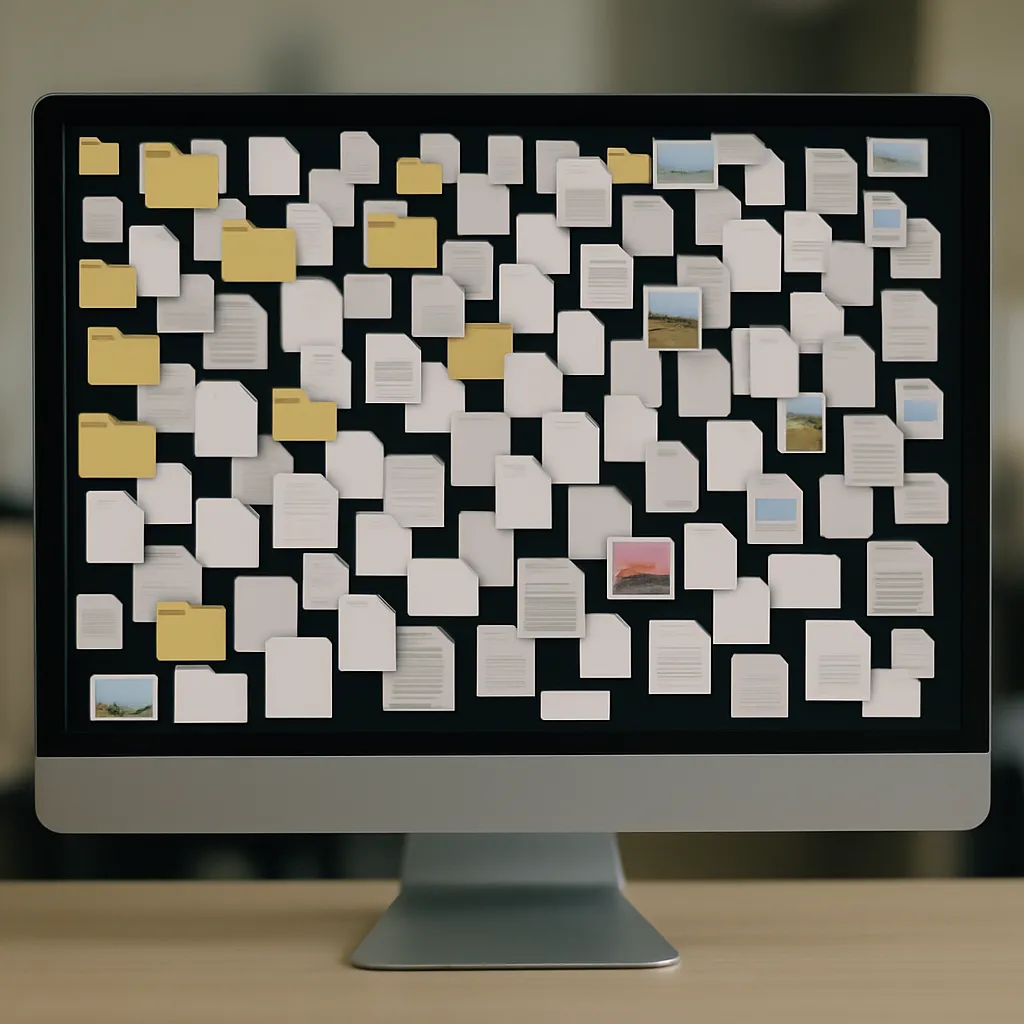
💡Do You Know Where Your Team Is Saving Things Right Now?
If I ask you to find the latest version of a proposal or a particular document, how long do you think it would take for you to find it?
Could you even find it?
And even better, could you tell me who last touched it, and which one’s the final version?
Most business owners can’t 🤷♂️
What usually happens is someone sets up a SharePoint, and everyone’s excited for about 3 days.
Then people start saving stuff on their desktop again.
Or in Slack.
Or just emailing attachments around like it’s 2006.
And before you know it, you’ve got five versions of the same doc in five different places, and no one’s sure which one’s the real one, but everyone’s afraid to delete anything just in case.
I’ve seen it a bunch of times, so here’s what I’d do if you want to clean it up without going overboard:
📃First, make a list of all the places files are getting saved.
Don’t overthink it. Literally open a blank doc and write:
-
Desktop
-
Email
-
OneDrive
-
“Marketing > Old > Final > Final V2 > USE THIS ONE”
That kind of thing.
You’re just getting the lay of the land here.
🎯 Then pick one place where everything should live.
Doesn’t matter what it is, OneDrive, SharePoint, etc.
But everyone needs to know, “This is where we save things.”
Everything else should either point back to that or stop being used. And yeah, people will still fall back into old habits unless you make it super easy and clear.
✍️ Set some basic naming rules.
Not corporate-style rules… just enough so people can find stuff.
Something like:
ClientName_ProjectName_DocumentName.docx
E.g. J2Construction_DesignRefresh_ScopeOfWork.docx
That’s it. No more “FinalFinal_FINAL_forreal_thisone.docx”
📁 Organize folders based on how people actually use them.
E.g.
/Clients
/Contracts
/Invoices
/Assets
NOT:
-
“Misc”
-
“Stuff”
-
“John’s Folder”
You get the idea.
⛔Don’t give everyone access to everything.
I know it’s easier, but someone will email the wrong thing to the wrong person eventually.
Just ask: who actually needs access to this folder? Give them that. Done.
🔛Turn on version history.
Most cloud tools have it. You’ll be glad you did the first time someone accidentally deletes the one good version.
🫵 Assign someone to be the “folder person.”
This can be someone who occasionally checks to make sure things haven’t gone off the rails again.
🧹Schedule a cleanup.
Even just once a quarter.
Block an hour, go through the shared drive, archive stuff you don’t need, fix weird names, delete duplicates.
I know it’s not exciting. But it makes everything feel less chaotic.
Couple of bonus things most people don’t do, but should:
- Add a little README file at the top of shared folders, that says something like:
“This folder is for client docs. Please name files like this. Ask Sarah if you’re not sure.”
That alone prevents 70-80% of the confusion.
-
If you’re sharing files externally, set an expiry date on the link. No one needs to have access forever.
-
If you’re unsure whether to delete something, just archive it. Make a folder called Archive_2024 and toss it in there. Out of the way.
-
Use a tool to find duplicate files - there’s a bunch of them. You’ll probably find five copies of the same PDF scattered around.
-
And for the love of all that is good, stop saving stuff to your Downloads folder. Save it where it actually belongs. Future you will thank you.
None of this is fancy. But if you do even half of it, you’ll feel way more on top of things.
👉 If you want help cleaning it up or mapping out the structure, reach out and we’ll give you a hand.
Free Tip: put an underscore before the name of your readme file like “_readme.docx.” That way, when you sort by filename, it comes up first “alphabetically!”
THE TECH TIP
Flagging emails and hoping you’ll remember to follow up?
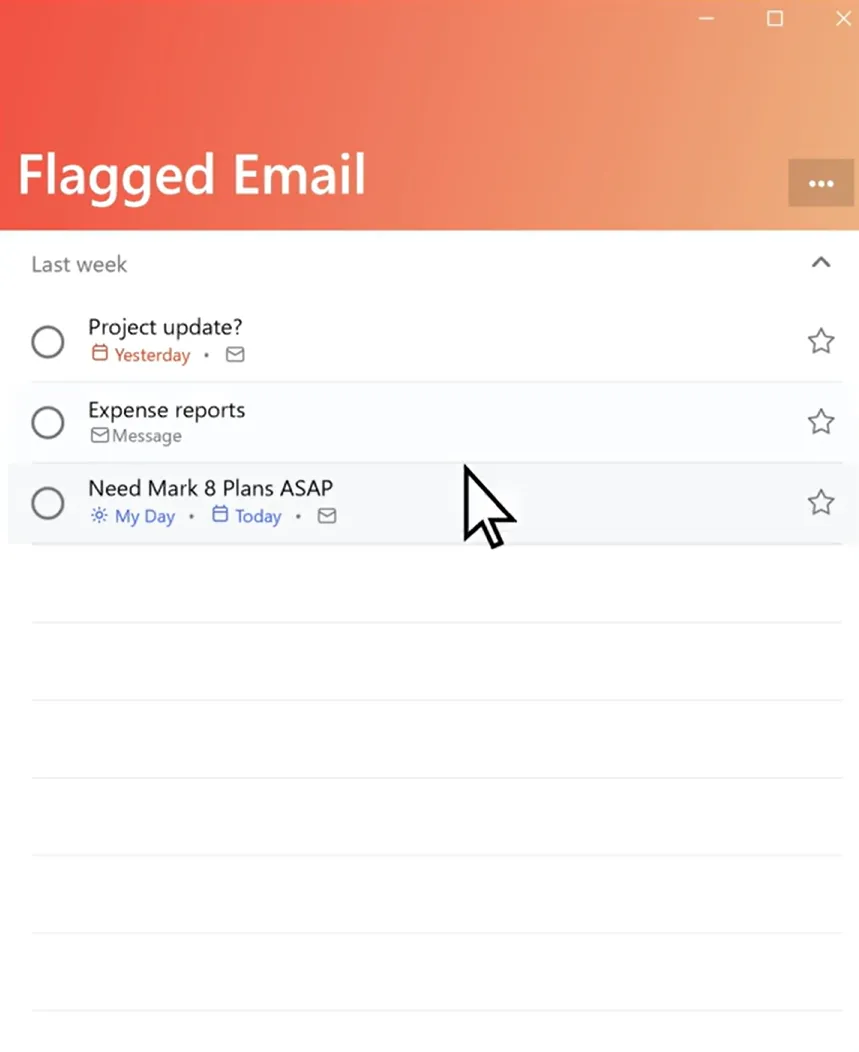
There’s a better way. Use Microsoft To Do to turn flagged emails into tasks.
Every time you flag an email in Outlook, it shows up in Microsoft To Do, with the subject line as the task name.
To see your flagged email tasks, open Microsoft To Do, sign in with the same account, navigate to the list menu, then select Flagged email > Create.
THE LATEST NEWS
⚠️ Episource Data Breach Exposes Info of 5.4 Million Patients
Hackers accessed sensitive personal and medical data from healthcare services provider Episource, raising fresh concerns about cybersecurity in regulated industries. If your business handles private data, this is a wake-up call to double-check your own defences.
🔨 Outlook Cracks Down on Risky Email Attachments
Microsoft is expanding Outlook’s default block list to stop more file types often used in malware attacks. Fewer sketchy attachments means one less way for phishing emails to catch you off guard.
💳 Instagram Ads Imitating Banks Are Scamming Users
Fake ads posing as BMO and EQ Bank are tricking users into handing over personal and financial info. It’s a reminder that even “sponsored” posts can be dangerous, especially if they promise easy money or urgent action.
THE INTERESTING STATISTIC
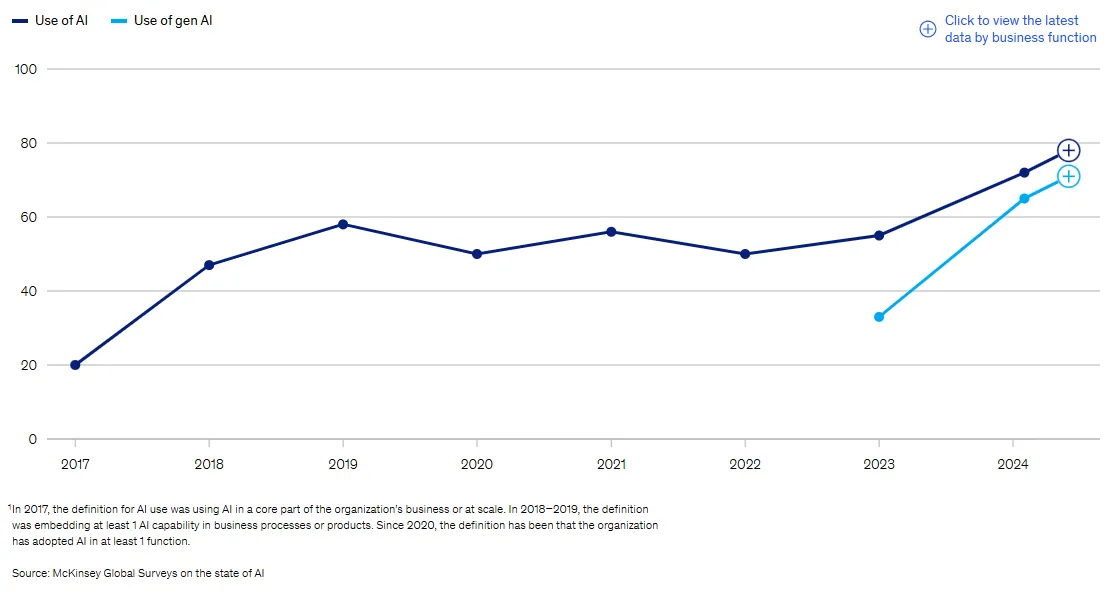
AI Is Now in 78% of Businesses
So here’s something kind of wild:
According to McKinsey, 78% of companies are already using AI in at least one part of their business.
That number was 55% last year.
And it’s not just big tech firms or Silicon Valley types.
Regular companies - the ones doing marketing, sales, IT support, customer service - they’re using AI to speed things up, reduce busywork, and frankly, do more with fewer people.
The biggest growth was in IT.
A few months ago, about 1 in 4 companies said they were using AI in IT. Now it’s more like 1 in 3. And marketing teams are jumping in just as fast.
What that tells me is:
This isn’t some distant future trend anymore. It’s already baked into how a lot of companies work.
And whether it’s writing better emails, auto-sorting support tickets, or helping your team stop doing the same repetitive task 50 times a week… the practical use cases are everywhere now.
Does that mean you need to be using AI this second? Not necessarily.
But it probably means you should at least know where it could fit in your business, before it’s too late to catch up.
THE GADGET OF THE MONTH
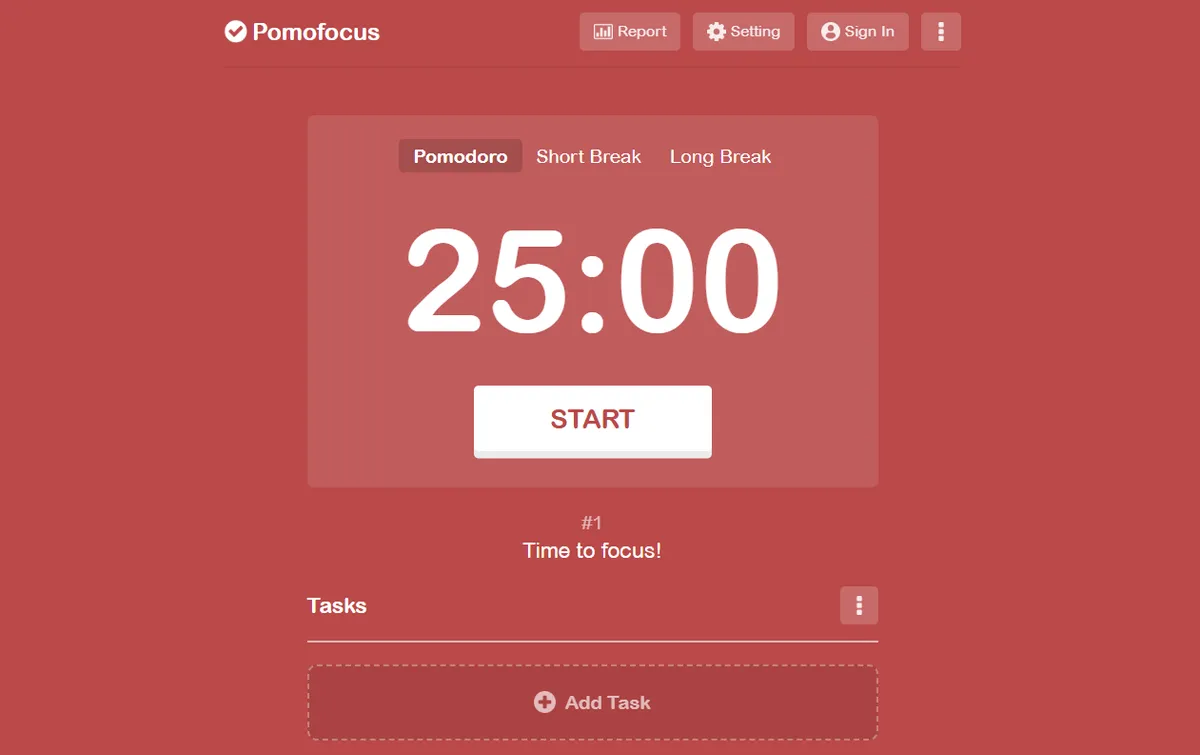
Productivity is a skill, and you can get better at it.
One method that actually works? The Pomodoro Technique.
While this is named after a tomato-shaped kitchen timer, it’s not an Italian cooking method, in case you were wondering.
Pomodoro is a simple way to structure your workday into focused bursts. You work for 25 minutes, then take a 5-minute break. After a few rounds, you take a longer break.
It works because your brain runs in natural cycles, bursts of energy followed by dips (they’re called ultradian rhythms).
Push through the dip, and your focus tanks. As one researcher put it, “The brain is like a muscle, it needs recovery time to stay strong.”
That’s why using a Pomodoro timer (like Pomofocus) can actually help you get more done without feeling wrecked by noon.
It’s online, free, and dead simple to use.
Give it a try. You’ll find it surprisingly addictive, in a good way 😉
THE BOOK OF THE MONTH
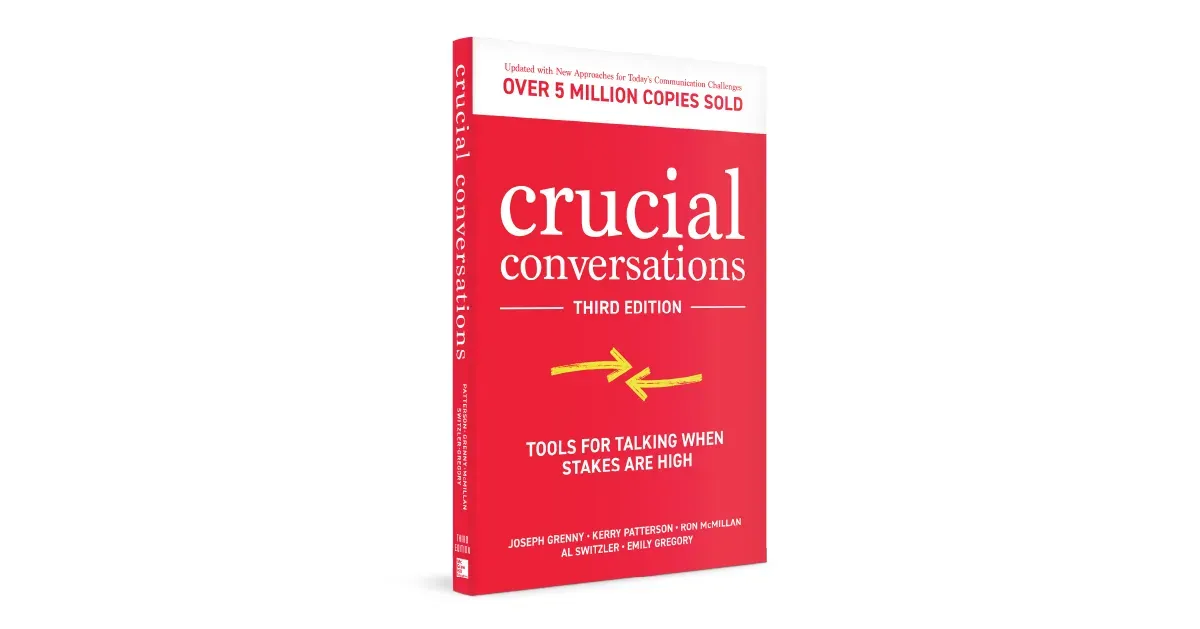
Do you ever have conversations where your heart’s pounding and you’re trying to stay calm, but your brain’s like, “don’t screw this up”?
Crucial Conversations is THE BOOK if you want to master those moments. The hard feedback you have to give to your staff, the awkward client chats, the stuff that usually gets avoided.
It actually walks you through what to say, how to say it, and how to stay in control without blowing things up.
It’ll save you from a lot of anxiety.
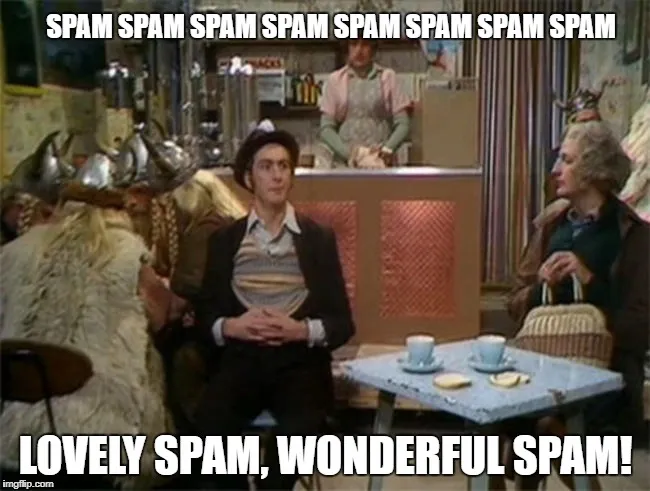
DID YOU KNOW?
The word “spam” for junk email actually comes from a Monty Python sketch, where Vikings kept chanting “Spam, Spam, Spam” over and over.
It was so annoying and relentless… tech folks started using it to describe unwanted messages.
Thanks for reading!
My team and I put this newsletter together to share tech advice that’s actually useful, and (hopefully) even fun to read 🙂
When we’re not writing these, we’re helping businesses like yours become more secure and stay productive without all the tech headaches.
If you ever need a professional opinion on anything IT related, simply reach out and let me know. If you want to book a meeting to chat, here is our calendar
We’re here to help 🙂