July 2025 issue
Could you spot a phishing email?
Here’s a “reassuring” stat for you: businesses lose $17,000 per minute due to phishing attacks.
Fake emails are one of the biggest Cybersecurity threats companies have to face, landing a top spot on the FBI’s Internet Crime list.
It’s fair to say people can be fooled more easily than they’d like to admit.
That’s because phishing emails keep evolving, and most people are bad at spotting them… including those who think “I will know what a phishing email looks like when I see one”.
If that were the case, hackers would find a better activity to spend their time on.
Since that’s not going to happen anytime soon, in today’s email I’m going to walk you through how to spot phishing emails.
You’ll also learn what’s new in the IT industry, how to increase productivity, and an Outlook tip that can save your sanity.
So grab your favorite beverage of choice, get comfy, and let’s dig in.
THE BIG IDEA
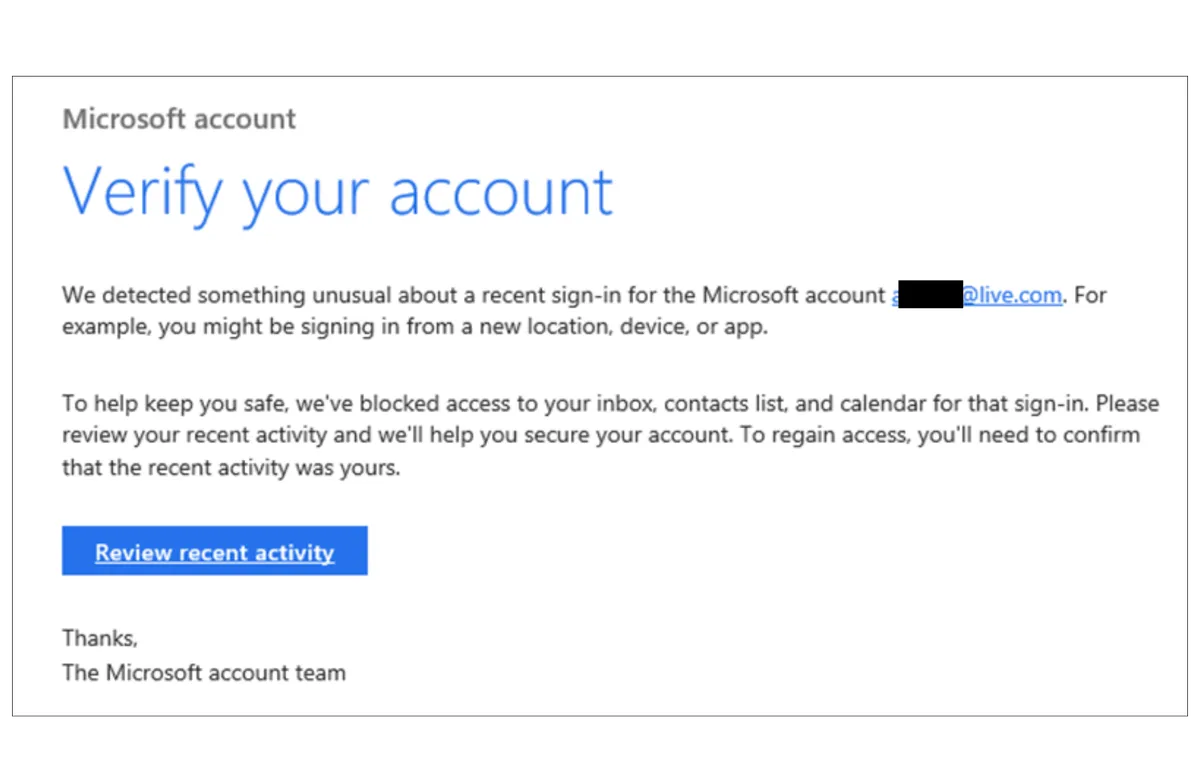
Could You Spot a Phishing Email If It Landed in Your Inbox Right Now?
Phishing emails used to be laughably bad.
Typos everywhere. Weird logos. Some prince asking for your bank details.
In 2025, they’re nearly impossible to catch, unless you know what to look for.
Here are 7 red flags you, and your entire team, should watch for every day:
-
Urgency overload - “Reset your password in the next 2 hours or lose access.” Fake pressure is the oldest trick in the book.
-
Name vs email mismatch - It might say “Microsoft,” but hover over the sender. If it’s something.random@gmail.com, that’s your red flag.
-
Lookalike domains - xero.support-mail.com is not the same as xero.com. One extra dash or word can fool even the careful.
-
Unexpected attachments - Especially ZIPs, EXEs, or Word docs with macros. If you didn’t ask for it, don’t click it.
-
Over-personalized content - They might know your name, your company, even your role. Doesn’t mean it’s safe.
-
Near-perfect grammar - Today’s phishing emails are written by pros (or AI). Look for awkward phrasing or slightly off tone.
-
Inconsistent email footers or branding - Sloppy footers, missing logos, or mismatched colors often signal a spoof.
How to Strengthen Your Security
👉 Run a quick phishing quiz with your team. Google’s free one is a good start.
🛑Train your team to use the “Report phishing” button in Outlook or Gmail.
💬 Create a #suspicious-emails thread in Teams or Slack, a safe space to ask, “Does this look off to anyone else?”
📆 Do a monthly “Spot the Scam” game where you and your team go through real phishing email examples (optional: give prizes)
🛡 Enable multi-factor authentication (MFA) on all key accounts. It’s one of the simplest ways to stop a breach, even if a password gets stolen.
📥 Disable auto-downloading of attachments in your email client settings. It blocks a common malware delivery method.
Those are easy wins you can handle in-house.
And if you want to take things further, we can help with that too.
We offer practical, real-world cybersecurity training to help your staff spot dodgy emails and respond the right way.
We can even run a safe phishing simulation behind the scenes to see how your team would react in the wild.
This means we will send harmless but real-looking phishing emails to your team to see who clicks and how at risk your business is.
If you’re interested in more details, just let me know.
THE TECH TIP
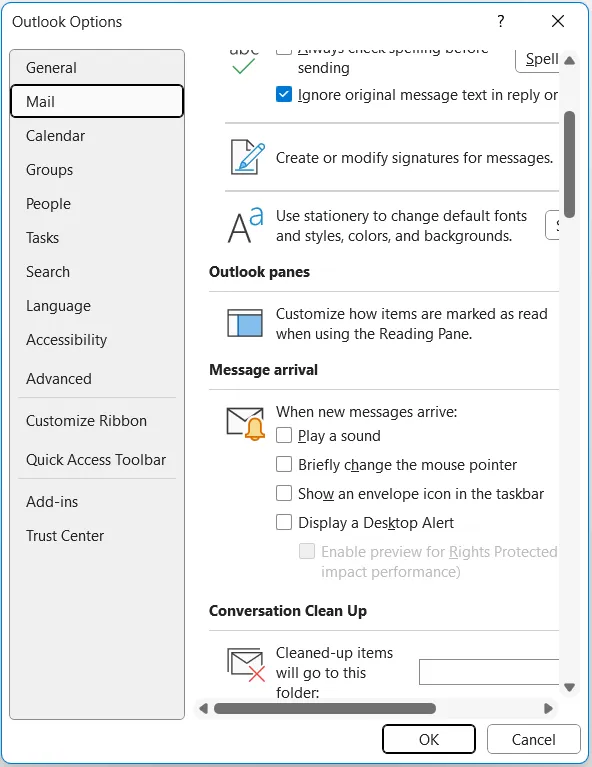
Feel like Outlook’s pop-ups are training you to hate email?
You can still get calendar alerts and the stuff that matters, while keeping email notifications from constantly breaking your focus.
In Outlook, go to: File > Options > Mail > Message Arrival
Then uncheck everything. Goodbye annoying pop-ups!
THE LATEST NEWS
⚙️ Google Enhances Gemini AI Assistant
At Google I/O 2025, Google unveiled significant updates to its Gemini AI assistant. It can now share your screen and use your camera in real time. This means you could have an AI help build a presentation, or troubleshoot an issue just by showing it your screen 🤯
💰 OpenAI Acquires Jony Ive’s Hardware Startup
OpenAI announced the $6.5 billion acquisition of ‘io’. This move could bring voice-activated AI tools into the office. You could have devices that help schedule meetings, summarize documents, or handle repetitive admin tasks without ever touching a keyboard.
🚘 Uber Introduces Route Share Service
Uber revealed a new commuting option called Route Share, a scheduled multi-rider service similar to a bus. It’s designed to cut commuting costs and reduce the stress of unreliable public transport, and it’s ideal if you, or your team, need a more affordable way to get to the office.
THE INTERESTING STATISTIC

Global IT Spending to Surpass
$5.6 Trillion in 2025
IT spending is speeding up.
Gartner predicts global investment in tech will hit $5.61 trillion this year, nearly 10% higher than 2024.
Most of that growth is going into tools that help businesses move faster and stay secure: cloud systems, automation, cybersecurity, AI, and better infrastructure.
And small businesses aren’t sitting this out either. On average, SMBs are now investing 6% to 7% of their revenue into IT.
Soon enough that’s going to surpass 10%, as a way to stay competitive in a tech-dependent world.
If you’ve been putting off upgrades or improvements, the companies you’re competing with probably aren’t.
🤔 Unsure about how to best invest in tech? Schedule a call with our team. We’ll walk you through how you can squeeze more profit out of your tech, step by step.
And don’t worry, we promise to never sell you something you don’t need. In fact, our goal is to help you turn your IT investment into bigger profits or fewer expenses.
THE GADGET OF THE MONTH
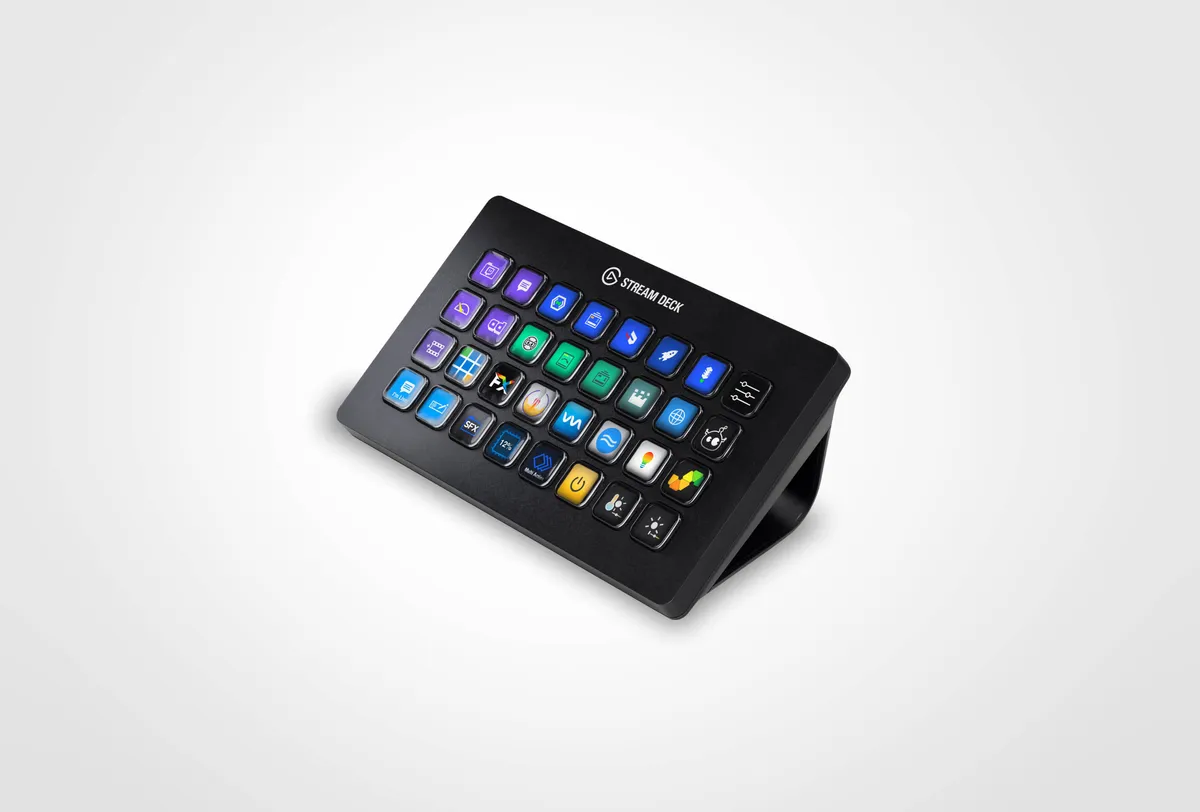
This device may look like something you’d find on a gamer’s desk, but it’s one of the best tools a business owner can use.
The Elgato Stream Deck lets you set up one-button shortcuts for just about anything… opening apps, muting Teams or Zoom, launching templates, even running multi-step workflows.
So instead of clicking through the same 8 steps to start a meeting, turn on your camera, and mute your mic, you hit one button and you’re in the meeting.
If you spend all day jumping between tools, this thing pays for itself in saved time and sanity.
THE BOOK OF THE MONTH
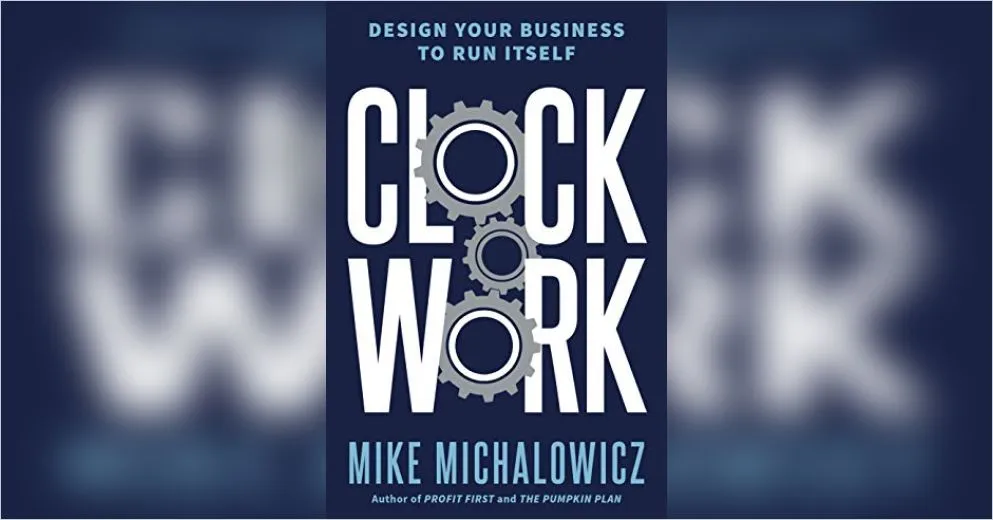
If you’ve ever thought, “This place falls apart without me,” this book is for you.
Clockwork by Mike Michalowicz shows you how to design a business that runs itself, with systems, delegation, and a team that doesn’t leave you hanging.
Because if everything depends on you, you don’t really own a business… you own a job. It might be painful to hear, but it’s true.

DID YOU KNOW?
Your old phone could be orbiting the Earth.
Dead satellites and space junk include decommissioned phones used in microgravity experiments.
Yes, we’ve literally littered space.
Thanks for reading!
My team and I put this newsletter together to share tech advice that’s actually useful, and (hopefully) even fun to read 🙂
When we’re not writing these, we’re helping businesses like yours become more secure and stay productive without all the tech headaches.
If you ever need a professional opinion on anything IT related, simply reach out and let me know. If you want to book a meeting to chat, here is our calendar
We’re here to help 🙂