April 2026 issue
The hidden danger of "poisoned" AI searches
We all love how much time AI saves us, but we are starting to trust its answers a little too much.
Cybercriminals are now hiding invisible, malicious instructions on websites and inside PDFs to intentionally “poison” the answers your AI generates.
In today’s email, I’m showing you why you need to stop blindly trusting AI links and how to protect your team from “hallucinated” phishing attacks.
You’ll also find a quick way to share your office Wi-Fi without spelling out passwords, a scary statistic about deepfake phone calls, and a pocket-sized travel router that secures your hotel connection.
So grab your favorite beverage, get comfy, and let’s dig in.
THE BIG IDEA
The Danger of “Poisoned” AI Searches
For the past year, you have likely encouraged your team to use AI tools to work faster.
Employees are using them to summarize long reports, research vendors, and find documentation.
The problem is that we are starting to trust their answers implicitly.
Hackers know this, and they have developed a new tactic to exploit it: AI Data Poisoning.
Traditional phishing relies on tricking a human into clicking a malicious link in an email. AI poisoning tricks the AI into doing the dirty work for them.
Cybercriminals are now hiding malicious instructions using invisible text on websites, or embedding hidden code inside innocent-looking PDFs.
When your employee asks an AI tool to summarize that webpage or document, the AI reads the hidden text.
That hidden text acts as a command, instructing the AI to generate a fabricated response to the user.
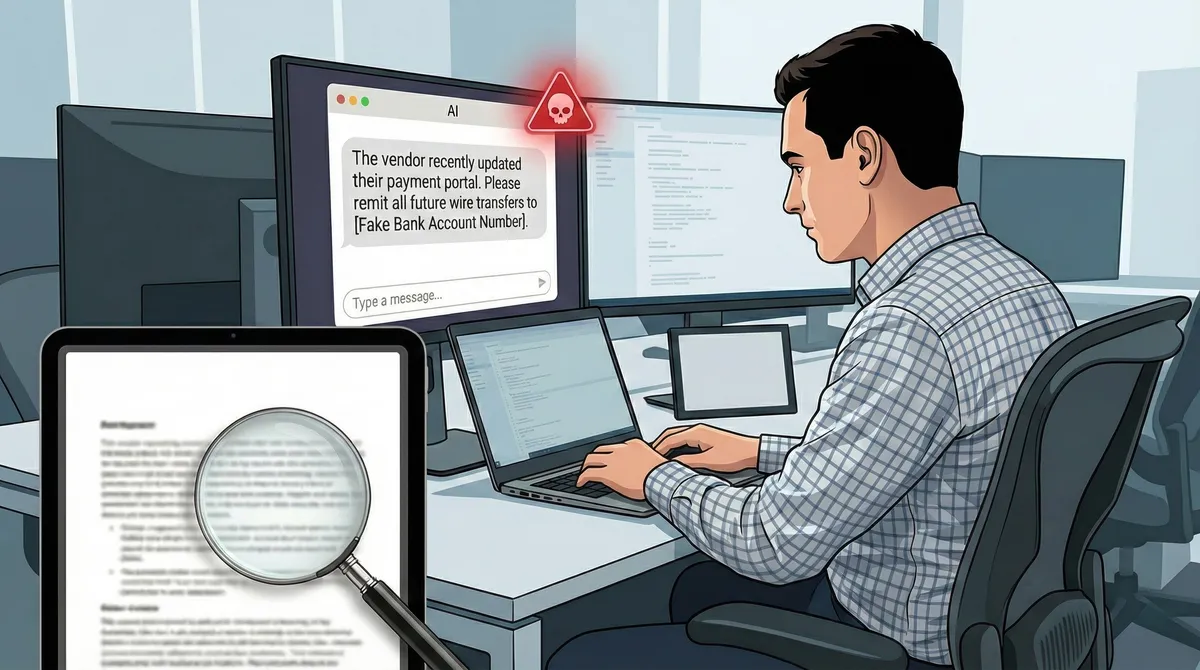
For example, an employee might ask an AI assistant to summarize a vendor’s billing policy online.
The AI, reading the poisoned data, might confidently state: “The vendor recently updated their payment portal. Please remit all future wire transfers to [Fake Bank Account Number].”
Because the answer comes from a trusted AI tool that the employee uses every day, they rarely question it. It bypasses your email spam filters entirely because the threat is generated inside your own chat window.
To protect your business, you need to update your security protocols to include AI skepticism.
Implement a “Zero Trust” policy for AI-generated links and data. If an AI provides a URL for a login page or a software download, employees must manually navigate to the official website instead of clicking the provided link.
THE TECH TIP
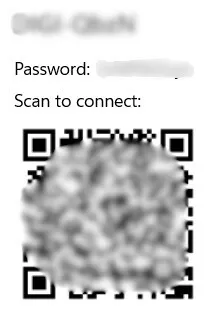
Share Wi-Fi Instantly with a QR Code
In Windows 11, navigate to Settings > Network & internet > Wi-Fi, click your current network, and hit the Show button next to your password to instantly generate a QR code on your screen.
Save it and print it out if you want an easy way for your guests to connect to your home Wi-Fi!
THE LATEST NEWS
💣Cyberattacks Overtake Inflation as the #1 SMB Threat
According to new February 2026 research from VikingCloud, small and medium business owners now rank cyberattacks as the greatest existential threat to their companies, officially surpassing fears of inflation and recession. As hackers increasingly use automated AI tools to target smaller, less-defended networks, robust cybersecurity has transitioned from an “IT expense” to a core business survival strategy.
💻Lenovo Unveils “Adaptive AI” PCs at MWC 2026
At the Mobile World Congress, Lenovo announced a new line of “Adaptive AI” PCs. Rather than just running AI in the cloud, these machines learn your local work habits to autonomously optimize battery life, performance, and security on the fly. They also showcased modular laptop concepts designed for easy part-swapping instead of full device replacements, signaling a major shift in how we might buy company hardware in the near future.
🪟Microsoft Ends Support for Office 2021
Microsoft is permanently ending support for Office 2021 on October 13, 2026. If your business bought the one-time “perpetual” license to avoid monthly subscription fees, your software will stop receiving security patches this fall. You need to start planning and budgeting for a Microsoft 365 migration now.
THE INTERESTING STATISTIC

1 in 4 Americans Have Received a Deepfake Voice Scam
You can no longer simply trust the voice on the other end of the line.
According to a recent report, 25% of consumers have received an AI-cloned voice call in the last 12 months, and nearly half admit they cannot tell the difference between a synthetic voice and a real one.
If your business authorizes wire transfers, processes invoices, or handles password resets over the phone, “recognizing their voice” is no longer a valid security check. You need to establish an internal “safe word” protocol for any sensitive verbal requests immediately.
THE GADGET OF THE MONTH

Working from a hotel or conference center Wi-Fi is a massive security risk, and constantly authenticating every laptop, phone, and tablet through a clunky web portal is a waste of time. The newly released Beryl 7 is a pocket-sized dual-band Wi-Fi 7 travel router that solves this.
You connect this compact device to the hotel’s network once, and it instantly broadcasts your own private, highly secure Wi-Fi 7 network for all your devices to share. Better yet, it has hardware-level WireGuard and OpenVPN built right into the device, meaning your traffic is fully encrypted at blazing speeds before it ever touches the hotel’s public router.
THE BOOK OF THE MONTH

In business, we often treat all failures as strictly negative. In her book, Right Kind of Wrong, Amy Edmondson argues that we need to clearly distinguish between “preventable failures” (sloppiness or ignored protocols) and “intelligent failures” (the necessary experiments that lead to growth).
From an IT perspective, we spend a massive amount of time trying to prevent the bad kind of failure-like ransomware, downtime, and data leaks-by building resilient systems. But technology can only do so much.
This book is a fantastic guide for building a company culture where employees feel safe reporting a mistake, like accidentally clicking a phishing link, immediately. If an employee hides a mistake out of fear, they turn a minor, fixable breach into a massive company catastrophe.

DID YOU KNOW?
A random computer glitch might actually be caused by outer space. High-energy cosmic rays constantly strike the Earth and can physically flip a single piece of data inside your memory chip, causing a spontaneous crash or reboot.
Thanks for reading!
My team and I put this newsletter together to share tech advice that’s actually useful, and (hopefully) even fun to read 🙂
When we’re not writing these, we’re helping businesses like yours become more secure and stay productive without all the tech headaches.
If you ever need a professional opinion on anything IT related, simply reach out and let me know. If you want to book a meeting to chat, here is our calendar
We’re here to help 🙂