June 2026 issue
MFA isn't saving you anymore
For years, we’ve been told that turning on multi-factor authentication makes you 99% safer from hackers.
That advice is no longer accurate.
Hackers have figured out how to walk straight past MFA without ever needing your password or your code, and the technique is now responsible for nearly a third of all Microsoft 365 breaches.
In today’s email, I’m showing you exactly how token theft works and the three changes that shut it down.
You’ll also find a 30-second Microsoft 365 habit that closes any stolen sessions before hackers can use them, a wild stat about how few critical software bugs are getting patched in time, and a 4K AI webcam that makes you look pro on video calls.
So grab your favorite beverage, get comfy, and let’s dig in.
THE BIG IDEA
MFA Isn’t as Secure as People Think
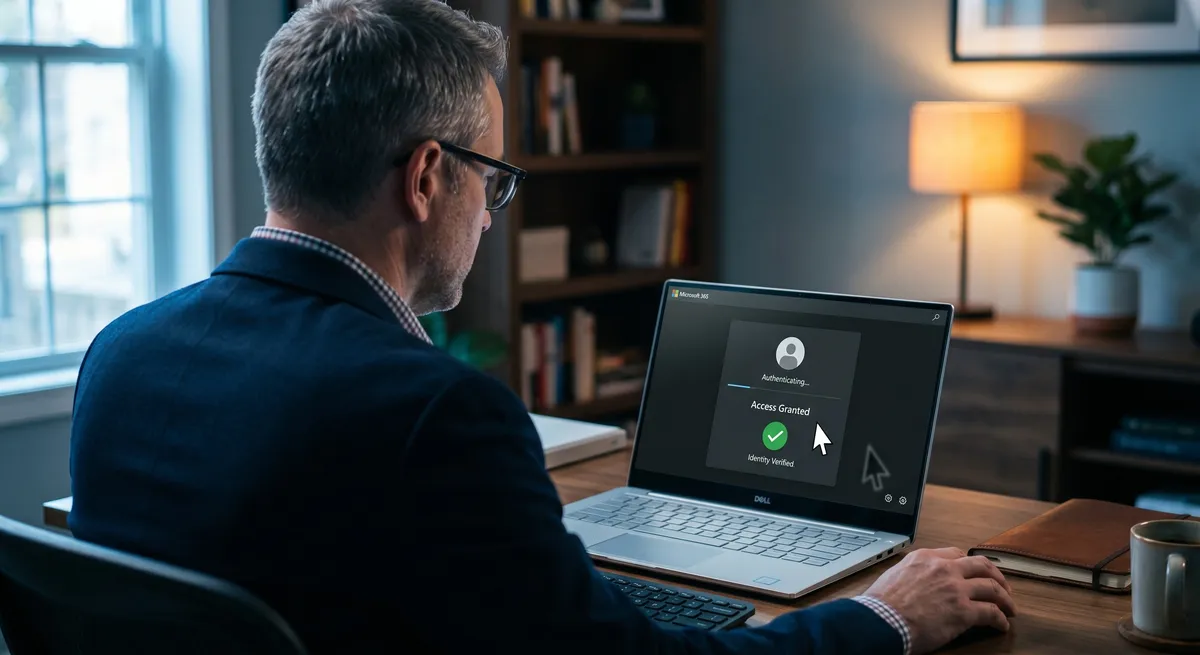
For the last ten years, every cybersecurity expert has been saying the same thing about protecting your business… turn on multi-factor authentication, and you’re 99% of the way there.
But that advice is out of date.
Around 2024, hackers stopped trying to beat MFA prompts.
Instead, they wait until you’ve already passed one, then steal what your browser receives the moment you log in.
It’s called a session token, and it’s the reason you don’t have to retype your password every five minutes when you’re working in Microsoft 365 or Google Workspace.
After you pass MFA, the system hands your browser a tiny piece of data that says, “this person already proved who they are, let them keep working.”
If a hacker grabs that token, they can paste it into their own browser and walk straight into your account. So they don’t need your password, and your MFA prompt never fires.
Your IT system shows no alerts either.
Researchers tracking these attacks now detect roughly 40,000 token theft incidents per day across Microsoft 365 environments.
Across 2025, this attack accounted for 31% of all Microsoft 365 breaches, with year-over-year volume up 146%. Which makes it the most common way attackers are getting into business cloud accounts right now.
What’s making this worse is how cheap the tools have become.
The phishing kits that pull off this trick used to be the territory of well-funded criminal groups.
Today, any low-skill hacker can rent one for somewhere between $100 and $1,000 a month.
These kits sit between you and the real Microsoft login page, capture your token the moment your MFA succeeds, and forward you to the real site so the login feels normal from your end.
Don’t panic though, token theft is fixable, and you don’t need to rip out what you already have.
Three changes you can make, in order of impact:
- Switch from app-based MFA to passkeys (or FIDO2 hardware keys).
Standard authenticator apps and SMS codes can be relayed through a fake login page.
Passkeys can’t, because they’re tied to the real website’s domain and the verification happens on your physical device.
This one change blocks the most common version of the attack.
- Turn on Conditional Access policies in Microsoft 365 (or the equivalent in Google Workspace).
These rules can refuse to honor a token if the login comes from a country you don’t operate in, an unmanaged device, or a strange time of day.
- Lock down what your team can install in their browser.
A growing share of token theft happens through compromised browser extensions and infostealer malware, both of which pull tokens straight out of Chrome or Edge.
Restrict extensions to a whitelist, and run endpoint protection that watches for token-harvesting behavior.
If you’re not sure which of these are switched on inside your business, reply to this email and we’ll help you figure it out.
THE TECH TIP
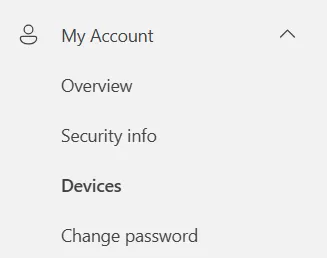
Sign Out of Old Microsoft 365 Sessions in 30 Seconds
Visit myaccount.microsoft.com, open “Devices,” and sign out of any browser or device you don’t recognize.
THE LATEST NEWS
🔓 ADT Hit With a Massive Breach Through One Stolen Login
Home security giant ADT confirmed hackers stole personal data on 5.5 million customers after a voice phishing call tricked an employee into handing over their Okta single sign-on credentials. The same group has hit Hims & Hers, Carnival, Zara, and 7-Eleven this month using the same playbook, a reminder that one compromised SSO login can hand over your entire SaaS stack at once
🪟 Microsoft Adds “Agent Mode” to Word, Excel, and PowerPoint
Microsoft’s Copilot Agent Mode went generally available across Word, Excel, and PowerPoint. It can now take multi-step actions directly inside your documents, spreadsheets, and decks, so you can ask for an entire formatted report or a rebuilt presentation with a single prompt instead of 20 clicks.
🤖 Anthropic Launches “Project Glasswing” With Apple, Microsoft, Google, and AWS
Anthropic announced its newest unreleased AI model has found thousands of zero-day vulnerabilities in every major operating system and web browser. To stay ahead of attackers using similar AI, Anthropic has formed Project Glasswing with Apple, Microsoft, Google, AWS, Cisco, JPMorgan, and others to use the model to patch critical software before bad actors can exploit it.
THE INTERESTING STATISTIC

Less Than 1% of AI-Found Vulnerabilities Have Been Patched
When Anthropic tested its newest unreleased AI model on the world’s most critical software earlier this year…
It found thousands of zero-day vulnerabilities (a “zero-day” is a flaw the software vendor doesn’t know about yet, which gives hackers a head start before any patch is available) in every major operating system and every major web browser.
Over 99% of those flaws are still unpatched, mostly because AI now finds bugs almost instantly while humans still patch on calendar speed.
While the industry catches up, you can stay safer with a few simple habits.
Turn on automatic updates for every browser, OS, and major app on your company devices, and confirm your antivirus is actually running on every machine, not just installed.
It also helps to review critical patches monthly rather than quarterly, so nothing important sits exposed for weeks.
The good news is that the same AI capability finding these flaws is now being used to fix them at scale, through industry coalitions like Anthropic’s Project Glasswing.
Smaller businesses should inherit the benefit for free as the technology rolls out over the next year or two.
THE GADGET OF THE MONTH
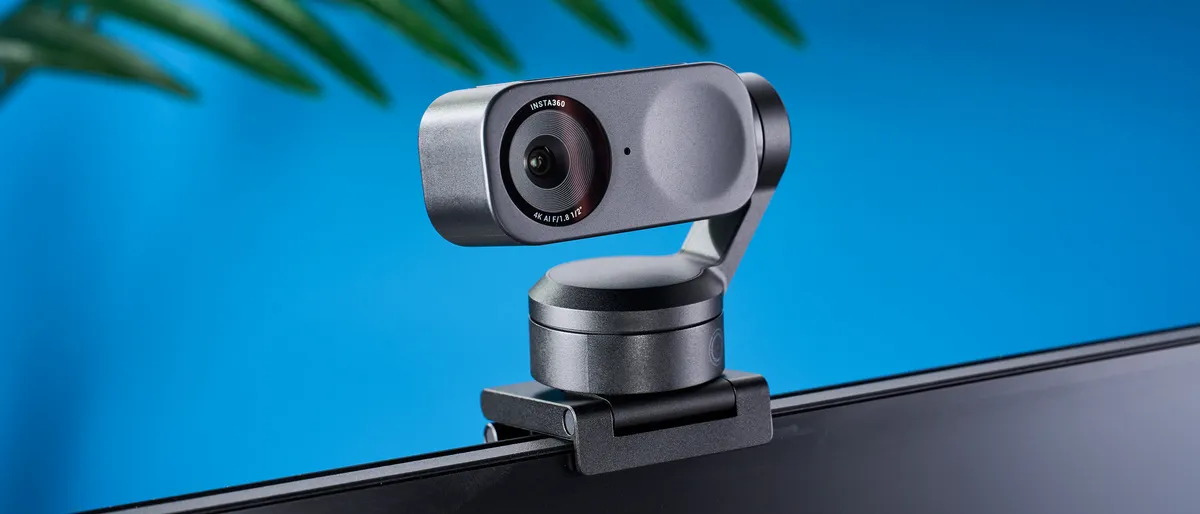
If you do client calls or sales demos from a laptop, the built-in webcam is probably letting you down.
The Insta360 Link 2 is a 4K webcam on a small motorized gimbal that physically pans and tilts to follow your face as you move around the room, so you stay perfectly framed without thinking about it.
AI noise cancellation in the mic also filters out the barking dog or coffee grinder behind you.
Around $200, plugs in over USB-C, and works with Zoom, Teams, and every other major call app right out of the box.
THE BOOK OF THE MONTH

If you’re using AI but feel like you’re barely scratching the surface, Co-Intelligence by Ethan Mollick is the book to read.
Wharton professor Ethan Mollick, who writes one of the most-read AI newsletters on the planet, gives you concrete frameworks for which tasks to hand off to AI, which to keep human, and how to spot the outputs you can’t trust.
It’s a quick read, written for business owners and managers rather than engineers.

DID YOU KNOW?
The world’s first website is still online. Tim Berners-Lee published it at CERN on August 6, 1991, to explain what this new “World Wide Web” thing was. More than 30 years later, you can still visit the original page at info.cern.ch.
Thanks for reading!
My team and I put this newsletter together to share tech advice that’s actually useful, and (hopefully) even fun to read 🙂
When we’re not writing these, we’re helping businesses like yours become more secure and stay productive without all the tech headaches.
If you ever need a professional opinion on anything IT related, simply reach out and let me know.
We’re here to help 🙂